ROSaic Deep Dive: Integrating Septentrio GNSS/INS Receivers with ROS 1 & ROS 2
Integrating a professional GNSS receiver into a ROS-based robot or autonomous system usually looks simple on paper and turns out to be messy in practice: binary protocols, axis-convention mismatches, differential correction plumbing, and receiver-state observability all surface as integration work. Septentrio’s official driver — ROSaic (septentrio_gnss_driver) — was built to remove exactly that friction. This guide walks through how the driver works under the hood, what it takes to configure GNSS/INS receivers for ROS 1 and ROS 2, and how the integration effort compares with rolling your own.
1. The Integration Gap ROSaic Closes
A flight controller (PX4, ArduPilot, Pixhawk) talks to GNSS receivers through basic NMEA/UBX sentences — enough to keep a vehicle flying, but not enough for serious autonomy. The SBF binary format, fine-grained RTK status, AIM+ interference-mitigation state, and multi-source differential inputs stay locked inside the receiver unless something on the onboard computer decodes them. ROS, running on a companion computer (Raspberry Pi, NVIDIA Jetson, NUC), is that something: it handles sensor processing, perception, planning, and fusion, while the flight controller handles real-time stabilization. ROSaic sits exactly in this gap — it converts receiver-native data into the standard ROS messages that fusion stacks like robot_localization consume directly.
2. Which Receivers Speak ROSaic
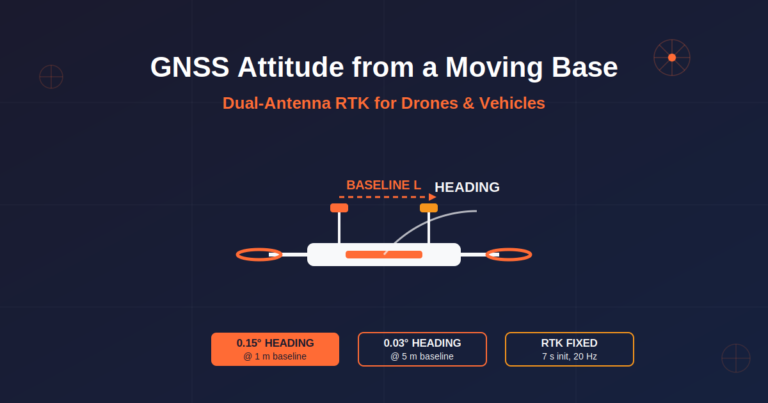
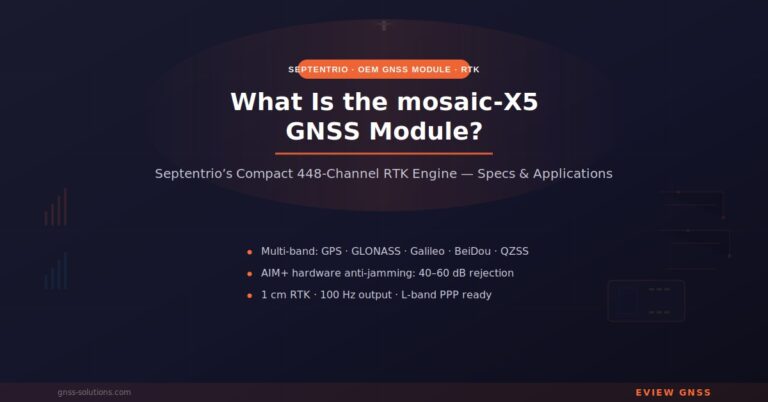
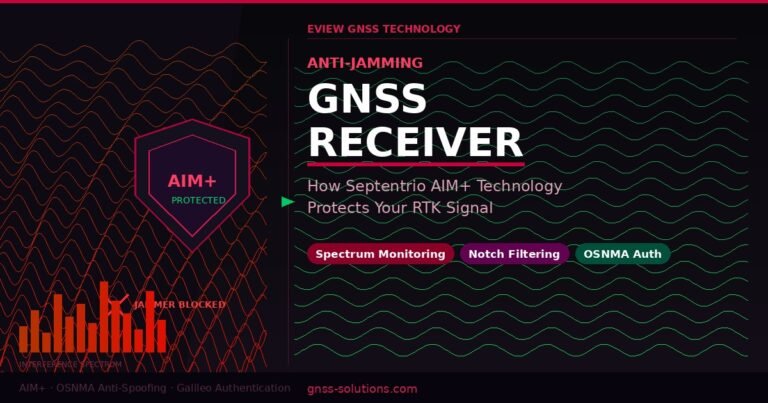
The driver targets Septentrio’s two main receiver families. The mosaic line — mosaic-X5 (multi-frequency, multi-constellation RTK), mosaic-G5 (cost-optimized), and mosaic-H (dual-antenna heading) — covers compact, low-power module integration. The AsteRx line — AsteRx-m3 Pro+, AsteRx-SB Pro+, AsteRx-SBi3 Pro, and related models — adds board and enclosed-receiver form factors, including GNSS/INS variants with dual-antenna heading. All of them bring the same underlying capabilities: centimeter-level RTK across GPS / Galileo / GLONASS / BeiDou / QZSS / NavIC, AIM+ interference mitigation with OSNMA signal authentication, and IMU-fused GNSS/INS output (position, velocity, attitude). The resilience claims are backed by the 2025 Jammertest, where receivers held centimeter accuracy through roughly 100 jamming scenarios and raised correct spoofing alarms.
3. Inside the Driver: Architecture in Brief
ROSaic is a single C++ repository maintained by Septentrio on GitHub that covers both ROS generations — ROS 1 (Melodic, Noetic) and ROS 2 (Foxy through Galactic, Humble, Iron, Jazzy, Kilted, Lyrical, Rolling, and later). Data arrives in SBF binary plus selected ASCII/NMEA messages and is exposed as sensor_msgs/NavSatFix, gps_common/GPSFix, and — for INS models — nav_msgs/Odometry.
Three implementation details matter most in practice:
- Native SBF decoding. The driver parses PVTGeodetic, PosCovGeodetic, ChannelStatus, MeasEpoch, AttEuler, AttCovEuler, VelCovGeodetic, DOP, and related blocks, so RTK status, signal health, and attitude data never have to pass through a lossy NMEA translation.
- Built-in NED→ENU conversion. Septentrio outputs in the NED convention; ROS expects ENU. The driver resolves the axis mismatch internally, with an explicit convention selector for INS models (
use_ros_axis_orientation), and follows the REP 103 / REP 105 frame conventions including an optionalinsert_local_frameodom frame. - Observability. AIM+ and OSNMA anti-jamming / anti-spoofing status is published to ROS topics, turning receiver state into something you can monitor, log, and alert on.
Install & Launch in One Command
Binary packages are released through ROS’s official bloom pipeline, so installation is a single apt command on any supported distro (Noetic, Humble, Iron, Jazzy, Rolling):
sudo apt-get install ros-$ROS_DISTRO-septentrio-gnss-driver- ROS 1:
roslaunch septentrio_gnss_driver rover.launch param_file_name:=rover - ROS 2 (composed node):
ros2 launch septentrio_gnss_driver rover.launch.py file_name:=rover.yaml - ROS 2 (standalone node):
ros2 launch septentrio_gnss_driver rover_node.launch.py file_name:=rover.yaml
Configuration lives in YAML: rover.yaml carries the full parameter set, while gnss.yaml / ins.yaml are slim GNSS- or INS-only profiles. Building from source uses the standard colcon workflow (colcon build --packages-up-to septentrio_gnss_driver) with dependencies on gps-msgs, Boost, GeographicLib (LLA↔UTM) and libpcap for PCAP replay.
Connection Modes
| Connection | device parameter | Notes |
|---|---|---|
| Serial | serial:/dev/ttyS0 | Use /dev/serial/by-id/... to survive USB re-enumeration; default baud 921600 (MeasEpoch blocks can need ~400 kBit/s) |
| TCP/IP | tcp://host:port | Default command port 28784; change the port in the receiver web interface first |
| USB virtual NIC | tcp://192.168.3.1:28784 | RNDIS provides 192.168.3.1; enable USB internet access for external NTRIP |
| UDP | stream_device.udp | Low-latency receive; unicast or multicast |
| File replay | file_name:xxx.sbf / .pcap | SBF logs and PCAP captures replay offline for testing; automatically enables GNSS time |
4. ROS Topics & Messages: What You Get Out of the Box
The driver translates SBF blocks into 30+ optional ROS topics, all carrying standard message headers (receiver timestamp + frame_id). The navigation-stack-ready topics are the ones that matter for robot_localization integration:
| Topic | Message type | Backing SBF blocks | Ecosystem hook |
|---|---|---|---|
/navsatfix | sensor_msgs/NavSatFix | PVTGeodetic + PosCovGeodetic (GNSS) / INSNavGeod (INS) | Feeds navsat_transform_node directly |
/imu | sensor_msgs/Imu | ExtSensorMeas + INSNavGeod | Raw gyro/accel + INS attitude; feeds robot_localization |
/localization | nav_msgs/Odometry | INSNavGeod → UTM | UTM odometry; can publish tf (ins_use_poi: true) |
/localization_ecef | nav_msgs/Odometry | INSNavCart + INSNavGeod | ECEF-frame variant |
/gpsfix | gps_msgs/GPSFix | 8 fused blocks incl. AttEuler, DOP | Richer than NavSatFix; heading in dip field |
/pose | PoseWithCovarianceStamped | PVTGeodetic + AttEuler (GNSS/INS) | Absolute position + attitude |
/twist_gnss / /twist_ins | TwistWithCovarianceStamped | PVTGeodetic + VelCov / INSNavGeod | Velocity with covariance |
Status and diagnostics topics turn receiver state into something you can monitor and alert on:
| Topic | Message type | Purpose |
|---|---|---|
/aimplusstatus, /rfstatus | AIMPlusStatus / RFStatus | AIM+ anti-jamming / anti-spoofing state (partly needs OSNMA active) |
/galauthstatus | GALAuthStatus | Galileo OSNMA authentication status |
/diagnostics | diagnostic_msgs/DiagnosticArray | Standard ROS diagnostics from QualityInd, ReceiverStatus, ReceiverSetup |
/gpst | sensor_msgs/TimeReference | GPS time reference |
Every SBF block also has a same-named custom message (PVTGeodetic, AttEuler, BaseVectorGeod/Cart, MeasEpoch, INSNavGeod/Cart, ExtSensorMeas, IMUSetup…) plus standard NMEA topics (/gpgga, /gprmc, /gpgsa, /gpgsv), each gated by its publish.* switch. publish_only_valid limits output to timestamp-valid blocks.
5. Compatibility & Firmware Requirements
| Dimension | Supported | Reference |
|---|---|---|
| Receiver models | mosaic-X5, mosaic-H, mosaic-G5 series; AsteRx m3 Pro+, AsteRx i3 D Pro+, AsteRx SBi3 Pro(+), AsteRx RBi3 Pro(+) — GNSS+INS solutions included | Official repo / knowledge base |
| ROS versions | ROS 1: Melodic, Noetic; ROS 2: Foxy to Rolling and beyond | Official open-source repo |
| Connections | Serial, TCP, UDP, USB (RNDIS and TCP/IP) | Official open-source repo |
| Protocols | SBF binary + ASCII messages (key NMEA included) | Official open-source repo |
| Output topics | sensor_msgs/NavSatFix, gps_common/GPSFix, nav_msgs/Odometry (INS), 30+ total | Official open-source repo |
| Coordinate frames | Built-in NED→ENU conversion, REP 103/105 | Official open-source repo |
| RTK corrections | NTRIP, TCP/IP streams, and serial — configured simultaneously | Official open-source repo |
| Resilience state | AIM+ (incl. OSNMA) anti-jamming / anti-spoofing status published | Official open-source repo |
Firmware matters more than most people expect — several driver features only exist on recent releases. The official README documents these minimums and functional limits:
| Receiver type | Minimum firmware | What you lose below it |
|---|---|---|
| GNSS | ≥ 4.10.0 (dev baseline) | <4.10.0: no IP over USB; <4.12.1: no OSNMA; <4.14: no PTP server clock; UDP-over-USB duplicate issue ≤4.12.1 (fixed in 4.14, 2023-06) |
| INS | ≥ 1.3.2 (dev baseline) | ≤1.2.0: no velocity aiding or initial-heading setting; <1.3.2: no NTP; <1.4: no OSNMA; <1.4.1: no improved VSM; UDP-over-USB duplicates ≤1.4 (fixed 1.4.1, 2023-11); PTP server clock not yet supported |
| mosaic G5 | ≥ 1.0.1 | Older versions unsupported |
6. GNSS/INS Setup: The YAML Walkthrough
INS models (AsteRx-i3 D Pro(+), AsteRx SBi3 Pro(+), AsteRx RBi3 Pro(+)) fuse IMU rotation/acceleration with GNSS position/velocity through a Kalman filter, producing a 9D state (3 position + 3 velocity + 3 attitude) that is more accurate and more robust to GNSS outages than 7D/8D dual-antenna solutions. A few configuration decisions beyond a standard GNSS-only setup make this work — they live in the driver’s YAML file:
receiver_type: ins— switches the driver into INS receiver mode (GNSS-only models usegnss).use_ros_axis_orientation— pick NED or ENU to match your robot’s frame convention.ins_spatial_config— the geometry block: IMU orientation angles (imu_orientationtheta X/Y/Z — the receiver’s IMU reference direction is printed on top of the unit), plus the three lever-arm offsets:poi_lever_arm(point of interest),ant_lever_arm(GNSS antenna reference point to IMU — skip this and INS position will be wrong), andvsm_lever_arm(velocity sensor to IMU). Alternatively setget_spatial_config_from_tf: trueto read them from the tf tree.ins_initial_heading—auto(derived from GNSS motion, default) orstored(reuse the last heading before power-off — useful for parking/restart scenarios).ins_std_dev_mask— the acceptance threshold for attitude (≤5°) and position (≤10 m) standard deviation; effectively the quality gate of the INS solution.ins_use_poi— which point the navigation solution reports (configured POI or primary antenna); must be on when TF publishing is enabled (defaulttrue).ins_vsm— velocity sensor measurement input for tighter INS accuracy; velocity can come from ROS (/odometry_vsmor/twist_vsm), a TCP/IP device, or serial, and non-holonomic constraints (zero lateral/vertical speed for Ackermann vehicles) can be applied even with x-only speed sensing.
These parameters are not cosmetic: they define the spatial relationship between the IMU, antennas, and vehicle origin, and errors here propagate directly into fused position and attitude output. Output rates are also worth knowing — raw IMU can reach 200 Hz, while the fused INS solution publishes at 100 Hz.
Once running, INS receivers publish topics backed by the INSNavGeod, INSNavCart, ExtSensorMeas, IMUSetup, and VelSensorSetup SBF blocks. Verification is standard ROS workflow — ros2 topic list to enumerate, ros2 topic echo <topic> to inspect — and the bundled PlotJuggler integration renders acceleration, trajectory, and attitude streams in real time.
7. RTK Corrections, OSNMA & Time Sync
Multi-source differential, in parallel. The receiver can hold several correction links open at once and automatically uses the closest source: up to 3 NTRIP mounts (ntrip_1~3, RTCMv2/v3 and CMRv2, TLS, GGA reporting policies), up to 5 TCP/IP streams (ip_server_1~5), and up to 5 serial inputs (serial_1~5) for local base-station radios. keep_open: true keeps links alive after the driver exits.
OSNMA anti-spoofing. Galileo OSNMA authentication is controlled per receiver via osnma.mode: off, loose (authenticated or unknown-status satellites participate), or strict (only authenticated satellites — requires NTP sync). Authentication state is then observable on the /galauthstatus topic.
Time. use_gnss_time: true builds message timestamps from GNSS time (TOW/WNC) — the host must be NTP/PTP-synchronized, and a Septentrio receiver can itself act as a Stratum-1 NTP server without internet. latency_compensation removes receiver processing delay, and polling_period (default 500 ms) controls the PVT/rest refresh rate — set it to 0 for block-driven (OnChange) updates.
8. Debugging, Testing & Extending the Driver
ROSaic is unusually testable for a hardware driver. SBF logs and PCAP captures can be fed straight back in as device input for offline replay, so field issues reproduce without the receiver on the bench (set leap_seconds correctly for replay with GNSS time). /diagnostics emits standard ROS diagnostics, activate_debug_log turns on driver-level logging, and publish_only_valid filters to timestamp-valid blocks. Adding a new message type is a documented 7-step flow (new .msg → typedefs.hpp → SBF parser → handler registration → publish.* parameter → data-stream config), so the driver is genuinely extensible in-house. Known gotchas: configure_rx: true overwrites receiver parameters, string parameters like hw_flow_control need quotes, and serial access requires the dialout group.
9. Integration Cost: Official Driver vs. Building Your Own
The honest way to evaluate a driver is against the alternative. For a typical outdoor inspection robot running ROS 2 Humble with robot_localization doing GNSS/IMU fusion, the comparison looks like this:
| Item | Self-Developed / Third-Party Driver | Septentrio + ROSaic |
|---|---|---|
| Driver origin | Your team owns the code and the maintenance | Septentrio-maintained, open source, continuously updated |
| Onboarding effort | Protocol parsing, frame conversion, and correction handling written by hand | Install the package, configure launch parameters |
| Message output | Custom wrappers needed | NavSatFix / GPSFix / Odometry out of the box |
| Coordinate handling | NED→ENU implemented in-house | Built-in, selectable convention |
| RTK corrections | Custom NTRIP client required | 3 NTRIP + 5 TCP + 5 serial simultaneously |
| Resilience visibility | Receiver internals largely opaque | AIM+ / OSNMA status on ROS topics, monitorable and alertable |
| Time to verified integration | Weeks to months | Typically days |
Timelines are engineering estimates — actual results depend on team experience and project complexity.
The value story reduces to four levers: time (configuration replaces driver development), risk (an upstream maintainer owns compatibility), capability (multi-source RTK, AIM+ reporting, and frame conversion all ship in the box), and ecosystem fit (standard messages drop straight into robot_localization and other fusion frameworks).
10. Beyond ROS: the Flight Controller Route
ROSaic is not the only integration path. mosaic-series receivers also work directly with Pixhawk, ArduPilot, and PX4 Autopilot, and Septentrio’s mosaicHAT reference design (mosaic-X5 + Raspberry Pi) plus the Robotics Interface Board (RIB) simplify hardware bring-up. Teams can therefore start on the flight-controller route and move to a full ROS stack later — or run both, with the receiver serving either side without changes. Eview’s mosaic-X5 based receivers and OEM GNSS boards inherit this whole ecosystem, as do our anti-jamming GNSS solutions for autonomy applications. For a hands-on first step with the driver itself, see our step-by-step mosaic-X5 ↔ ROS setup guide.
11. FAQ
Is the Septentrio ROS driver open source?
Yes — septentrio_gnss_driver is maintained in the open on Septentrio’s GitHub under the ROSaic brand (BSD-3-Clause), free to use, and actively updated across ROS 1 and ROS 2 releases.
Do I need a GNSS/INS receiver to benefit from ROSaic?
No. GNSS-only models (mosaic-X5, mosaic-G5, AsteRx m3 Pro+) publish NavSatFix and GPSFix. INS models additionally publish Odometry with full attitude, but everything else — SBF parsing, NED→ENU, multi-source RTK, AIM+ status — works identically either way.
Which firmware version do I need for OSNMA and the latest INS features?
GNSS receivers need at least 4.12.1 for OSNMA and 4.14 for PTP server clock. INS receivers need 1.3.2 for NTP, 1.4 for OSNMA, and 1.4.1 for the improved velocity-sensor handling. Check the firmware matrix in Section 5 for the full breakdown.
Why does the driver need to convert NED to ENU?
Septentrio receivers follow the NED (North-East-Down) convention, while ROS frames use ENU (East-North-Up). Without conversion, fused position and orientation would be subtly wrong. ROSaic handles this internally, and INS models expose an explicit convention selector.
How do I configure lever arms for an INS receiver?
In the driver YAML, under ins_spatial_config: set imu_orientation for mounting angles and the three lever-arm offsets — poi_lever_arm, ant_lever_arm (antenna to IMU), and vsm_lever_arm (velocity sensor to IMU). These physical offsets directly affect fusion accuracy.
Can I develop against ROSaic without hardware?
Yes — the driver supports PCAP and SBF replay, so you can capture receiver data once and exercise the full pipeline offline, which is a practical way to validate message output and fusion behavior before hardware is on the bench.
12. Sources & References
| Item | Source | Type |
|---|---|---|
| septentrio_gnss_driver repository (README, v1.4.0-3) | github.com/septentrio-gnss/septentrio_gnss_driver | Official open-source repo |
| ROS package index entry | index.ros.org/p/septentrio_gnss_driver | Official package index |
| ROS distro release record (bloom PR) | github.com/ros/rosdistro/pull/41339 | Official release record |
| mosaic / AsteRx product pages | web.septentrio.com/GH-SSN-modules · web.septentrio.com/INS-SSN-Rx | Official product pages |
| Jammertest 2025 results | septentrio.com — Jammertest 2025 | Official article |
| ROSaic knowledge-base article | Septentrio KB — ROSaic introduction | Official knowledge base |
| GNSS/INS + ROSaic integration guide | Septentrio KB — INS integration guide | Official knowledge base |
| ROS documentation | wiki.ros.org · ros.org | Official documentation |
| robot_localization | github.com/cra-ros-pkg/robot_localization | Open-source framework |
Author: Jack Wang · Updated: 2026-09-01· External references as listed above.
13. Related Reading
- Septentrio GNSS + ROS Integration Guide: Compatibility, ROSaic Driver & Mowing Robot Case Study — companion integration guide on this site
- RTK GNSS + ROS for Lawn Mowers & UAVs (uav-gnss.com) — mowing/UAV-focused version
- Septentrio GNSS + ROS Integration: Official ROSaic Driver (uav-gnss.com) — UAV version of this technical report
14. More on AIM+ Anti-Jamming
- Jammertest 2025 Results: AIM+ Anti-Jamming GNSS Holds Centimeter Accuracy Through 100+ Interference Scenarios (gnss-solutions.com)
- Jammertest 2025: AIM+ Anti-Jamming GNSS Keeps UAVs on Mission Through 100+ Interference Scenarios (uav-gnss.com)
Need a Septentrio receiver for your ROS project? Eview GNSS supplies mosaic-X5 and AsteRx GNSS/INS receivers with AIM+ anti-jamming, and our engineers can help with ROS integration questions. Email us at sales@gnss-solutions.com for a quote or technical consultation.